May 21, 2026 • Kwame Osei-Bonsu • 9 min reading time • Prices verified June 18, 2026
Solar Security Cameras Without Monthly Fees: What the Spec Sheet Doesn't Tell You About Cloudy Days
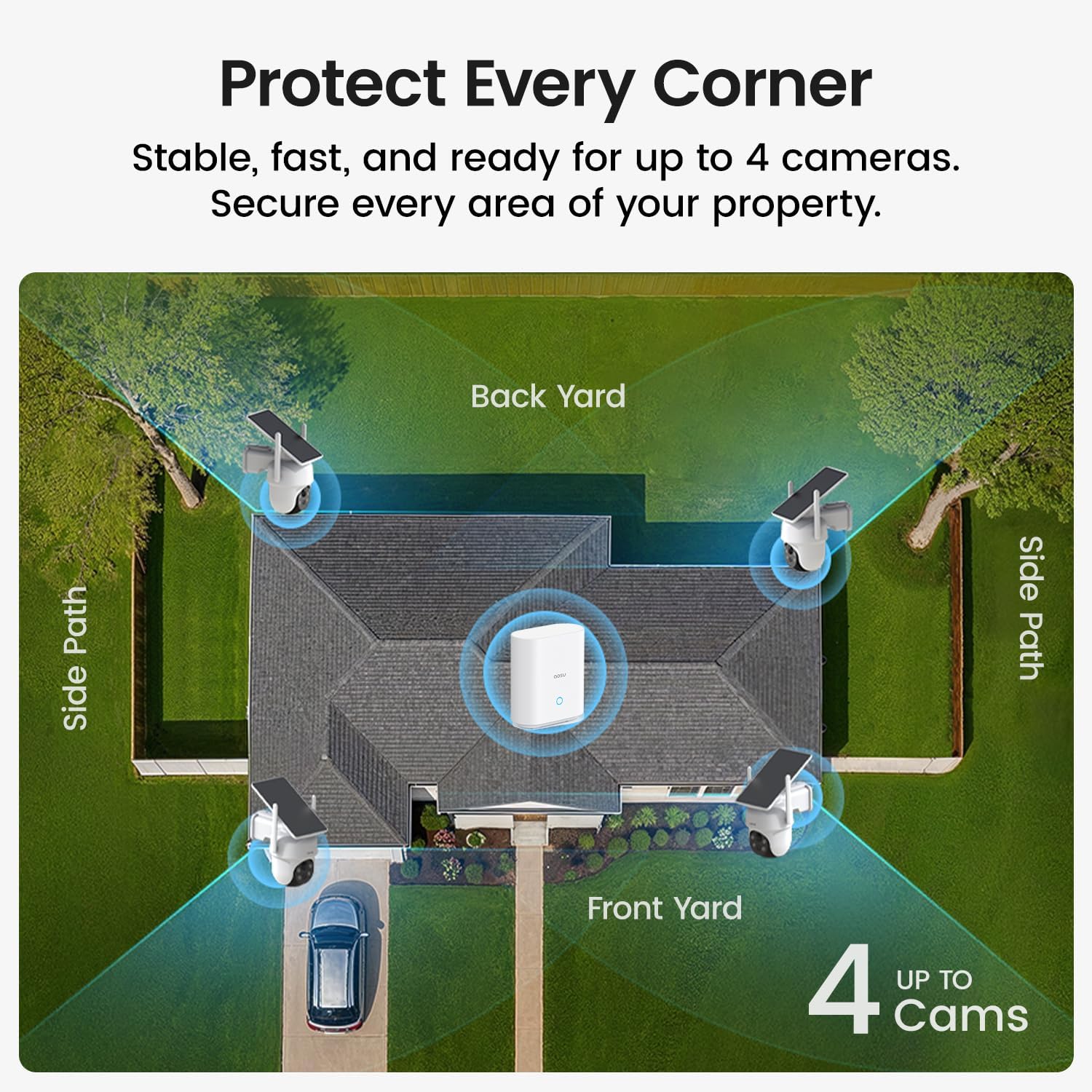
Solar security cameras — cameras that charge themselves using a small attached solar panel instead of a power cable — have become one of the most searched product categories in home security. The pitch is genuinely attractive: mount the camera anywhere, skip the electrician, and pay nothing month after month for cloud storage. For renters, landlords, and homeowners in spots where running wire is impractical, that combination of wire-free placement and zero ongoing fees sounds like a solved problem. But there’s a real-world gap between what the spec sheet describes in a California test environment and what actually happens to a camera on a north-facing wall in Seattle in January. This article breaks down that gap — so you can buy the right setup the first time, size your solar panel correctly, and know which subscription-free storage approaches actually hold up.
Why “Solar-Powered” Doesn’t Mean What You Think It Does
Here’s the thing most product listings bury: virtually every solar security camera on the market today is solar-assisted, not solar-powered in the way your calculator is solar-powered. The camera runs off an internal lithium battery. The solar panel’s job is to top that battery up continuously — ideally fast enough that the battery never drains to zero.
That distinction matters enormously in practice. A camera’s solar panel is rated in watts (typically 2W to 6W for consumer models), and that rating is measured under Standard Test Conditions: 1,000 watts per square meter of sunlight, 25°C cell temperature, no shading. As PCMag’s review coverage of solar cameras consistently notes, real-world solar harvest is typically 50–80% of rated output on a clear day, and can fall below 20% of rated output on heavy overcast days.
Meanwhile, your camera keeps consuming power regardless of cloud cover. Motion-triggered recording, Wi-Fi radio uptime, and night-vision IR LEDs all draw from the battery whether the sun is shining or not. If your site gets three consecutive cloudy days — a perfectly ordinary run in the Pacific Northwest, the UK, or any snow-belt state — and your panel is undersized, you will lose recording continuity.
The calculation most buyers skip:
| Variable | Typical spec-sheet assumption | Realistic worst-case |
|---|---|---|
| Daily solar harvest (4W panel) | 16–20 Wh | 4–6 Wh |
| Camera daily draw (moderate motion) | 6–10 Wh | 10–16 Wh |
| Net battery change per day | +6 to +14 Wh | –4 to –12 Wh |
On a bad week in winter, a camera that “runs on solar” can silently drain its battery and go offline — often without sending you an alert, because the radio is the first thing that browns out. Tom’s Guide’s evaluation of solar camera categories highlights this exact failure mode: cameras go dark during the weather events — storms, winter nights — when you arguably need them most.
The Subscription-Free Storage Stack: What Actually Works
Eliminating the monthly fee is achievable, but it requires intentional architecture. There are three legitimate approaches, and each carries its own tradeoffs.
1. Local MicroSD Storage
The simplest approach: the camera writes footage to a card inside the unit. No cloud, no fee, no third-party server holding your footage.
The catch is that most cameras cap microSD support at 128GB or 256GB, which means continuous recording overwrites itself on a rolling 3–7 day loop depending on resolution settings. For most residential use cases — checking what happened last night — that’s sufficient. For landlords who need to document an incident that happened 10 days ago, it’s not.
More practically, owners of solar-powered cameras with microSD slots consistently report a durability concern in aggregated long-run reviews: the card slot. Repeated thermal cycling (hot summer days, cold nights), combined with camera housings that aren’t perfectly sealed, accelerates card failure. SafeWise’s coverage of no-subscription security cameras notes that card quality matters significantly — cheap cards fail faster in outdoor conditions. Budget for name-brand endurance-rated cards (designed for dashcam or surveillance duty), and plan to replace them every 18–24 months.
2. Local NVR or Home Server Storage
For buyers running four or more cameras, a Network Video Recorder (NVR) — a small dedicated box that pulls footage from all cameras over your home network and stores it on an internal hard drive — eliminates per-camera storage concerns entirely and scales easily. This approach works best with cameras that support RTSP (Real-Time Streaming Protocol), an open standard that lets you connect cameras to any compatible recorder regardless of brand.
The limitation in the solar-camera context: most consumer solar cameras are designed around their own app ecosystems and do NOT expose a clean RTSP stream without firmware workarounds. Brands like Reolink are the notable exception — their solar models (the Reolink Argus series, for instance) support RTSP natively, which is why they appear repeatedly in self-hosted NVR builds documented by the home-automation community. CNET’s camera coverage consistently surfaces Reolink as a strong value option for buyers prioritizing local storage flexibility.
3. Free Cloud Tiers (Limited)
Some manufacturers — Eufy, Wyze, and Reolink among them — offer a baseline of free cloud storage (typically the last 24–72 hours of event clips) with no paid subscription required. This isn’t a full substitute for continuous recording, but it provides an offsite backup of key motion events that survives even if someone steals or damages the camera.
Security.org’s home security camera statistics data (2025) indicate that camera theft — particularly of wireless outdoor cameras — occurs frequently enough to make offsite backup a legitimate planning consideration rather than paranoia. A stolen camera with only local storage takes your evidence with it.
Sizing Your Solar Panel: The Number That Actually Determines Success
The single highest-leverage decision in a solar camera build is not the camera model — it’s the panel-to-battery ratio and your site’s sun-hours profile.
Sun-hours (peak sun hours, or PSH) is the metric that matters. It’s not the number of hours the sun is above the horizon — it’s the equivalent number of hours at full rated intensity. The National Renewable Energy Laboratory (NREL), a U.S. Department of Energy facility, publishes PSH maps for the continental United States. Key reference points:
- Phoenix, AZ: 5.5–6.5 PSH average
- Denver, CO: 4.5–5.5 PSH average
- Chicago, IL: 3.5–4.5 PSH average
- Seattle, WA: 2.0–2.8 PSH average (winter months)
- Portland, OR: similar to Seattle
If you’re in a low-PSH region and you’re mounting a camera on a north- or east-facing wall (which receives less direct sun than south-facing installations), you need to compensate with a larger panel or a larger battery reserve.
A practical sizing rule: For a camera drawing approximately 8–10 Wh per day under moderate motion load, you need a panel that can harvest at least 15–18 Wh on an average day (building in a buffer for cloudy stretches). At 3 PSH with a 4W panel, you’re generating roughly 12 Wh — below threshold. At 3 PSH with a 6W panel, you’re at roughly 18 Wh — marginally adequate. Most budget solar cameras ship with 2.5W–4W panels. Most installation guides don’t mention PSH at all.
The practical mitigation for low-sun environments is straightforward: buy a camera that accepts an aftermarket supplemental panel, or choose a model — like certain Eufy SoloCam or Reolink Argus variants — that allow panel daisy-chaining. Panel upgrade paths should be a buying criterion, not an afterthought.
Ecosystem Lock-In and the Subscription Trap — What Changes Later
Here’s where the long-term view gets uncomfortable. The cameras marketed most aggressively as “no monthly fee” today are not making that promise in perpetuity. Firmware updates, cloud infrastructure costs, and corporate acquisitions all create real risk of features shifting behind a paywall after purchase.
The pattern is well-documented across the industry: Wyze introduced a Cam Plus subscription that moved person detection — a feature that had been free — behind a paywall in 2021. Ring has progressively limited the features available to users who decline its Protect Plan subscription. As PCMag’s ongoing coverage of security camera ecosystems notes, the free tier today is a customer acquisition strategy, not a product commitment.
The mitigation strategy for subscription-skeptical buyers comes down to two principles:
First, prefer cameras with robust local storage that functions fully offline. If the company’s cloud disappears tomorrow, your camera should still record, still trigger alerts over local network, and still allow you to pull footage. Eufy’s system, Reolink’s system, and the open-source Frigate NVR platform (which integrates with home automation systems like Home Assistant) are consistently cited by reviewers as examples of architectures that don’t depend on manufacturer cloud continuity.
Second, read the privacy policy before buying, not after. Security cameras are data collection devices. Some manufacturers’ terms of service include provisions for data sharing with third parties or law enforcement cooperation that go well beyond what most buyers expect. SafeWise’s no-subscription camera coverage and security.org both flag this as a key due-diligence step that most buyers skip.
If X, Then Y: The Decision Rule
After accounting for solar sizing realities, storage architecture, and subscription risk, here’s the practical decision frame:
If you’re in a high-sun region (4+ PSH average, south-facing mount, moderate motion load): A quality 4W solar camera with microSD storage and a free cloud tier is genuinely viable as a no-fee, low-maintenance setup. Reolink Argus 3 Pro, Eufy SoloCam S340, and similar mid-tier options deliver solid performance in this scenario according to aggregated review patterns across Tom’s Guide and PCMag.
If you’re in a low-sun region OR have a challenging mount angle: Size up to a 6W+ panel, prioritize battery capacity over 6,000 mAh, and confirm the camera supports external panel expansion. Don’t let a spec-sheet rating from a California test make your decision for you.
If you’re building a multi-camera property (landlord, short-term rental host, or home with four or more coverage points): Invest in a local NVR from the start — Reolink’s RLN series or a Frigate-based build — and prioritize cameras with RTSP support. The per-camera microSD approach doesn’t scale gracefully, card management across multiple units is a maintenance burden, and a centralized recording system makes footage retrieval dramatically faster during an incident.
If subscription elimination is non-negotiable and you want the most future-resistant architecture: Home Assistant with a Frigate NVR integration, paired with RTSP-capable solar cameras, represents the highest-control, lowest-ongoing-cost path available in 2026. It’s also the highest setup complexity. If you’re not comfortable with a weekend-long software configuration, the Reolink local-only ecosystem offers a meaningful middle ground — not as flexible, but operationally simple and genuinely subscription-free on core features as of this writing.
The spec sheet will tell you a camera gets six months of battery life on a charge. What it won’t tell you is that six months assumes 150 motion events, 2–3 hours of daily sun, and mild temperatures. Build your expectations — and your system — around the realistic number, and you’ll have a setup that’s actually working when you need it.