June 5, 2026 • Kwame Osei-Bonsu • 9 min reading time • Prices verified June 18, 2026
Under $40 Indoor Cameras: Wyze, Blink Mini, Tapo, and the Cloud Privacy Trade-Offs You Need to Know
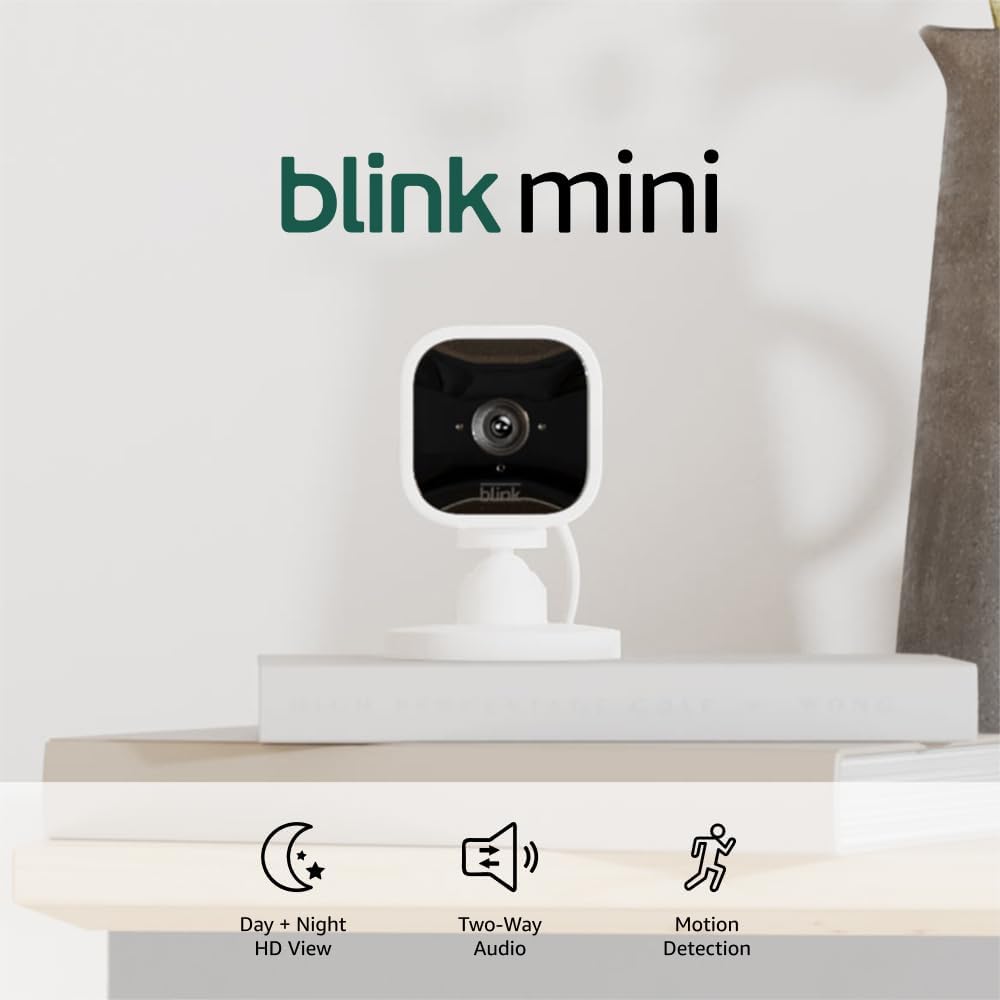
If you’ve ever wanted to keep an eye on your front door, a sleeping baby, or a rental property while you’re away, a small plug-in indoor camera is the most affordable way to do it. These are compact devices — roughly the size of a hockey puck — that connect to your home Wi-Fi, record video, and let you check a live feed from your phone. The three brands that dominate the under-$40 bracket are Wyze, Blink Mini (made by Amazon), and TP-Link Tapo. Each costs between $15 and $40 at retail, installs in about ten minutes, and offers solid picture quality for the price. The catch — and it’s a real one — is that every frame of video these cameras capture typically travels to a company’s cloud server before it reaches your phone. That arrangement raises legitimate questions about who else can see your footage, what happens if the company changes its pricing or shuts down, and whether a low-cost camera becomes expensive over time through mandatory subscriptions. This article walks through all of it, including a clear decision rule at the end.
What You’re Actually Buying (and What It Costs Over Time)
The sticker price on a budget indoor camera is close to meaningless as a measure of total cost. A $19 Wyze Cam v3 is genuinely useful on day one — but the camera’s long-term value depends on whether you need cloud recording, how many cameras you deploy, and whether you’re willing to pay monthly fees to unlock basic features.
Here’s a quick three-year cost comparison across the three main contenders, using 2026 retail pricing and each brand’s current subscription tiers:
By the Numbers — 3-Year Cost, Single Camera
| Camera | Hardware | Subscription (3 yr) | 3-Year Total |
|---|---|---|---|
| Wyze Cam v3 | ~$20 | Cam Plus ~$36/yr → ~$108 | ~$128 |
| Blink Mini (2nd gen) | ~$35 | Blink Subscription Plan ~$30/yr → ~$90 | ~$125 |
| TP-Link Tapo C210 | ~$28 | Tapo Care ~$18/yr → ~$54 | ~$82 |
All figures based on published 2026 single-camera subscription rates. Multi-camera households can shift these numbers significantly — Wyze’s Cam Plus Unlimited at roughly $99/year becomes the cheapest per-camera option above four cameras.
The subscription math matters especially for landlords and short-term rental hosts managing multiple units. If you’re running eight cameras across three properties, you’re choosing between $144/year (Tapo Care, per-camera) and $99/year (Wyze Cam Plus Unlimited, whole account). That’s a meaningful difference over five years.
What do subscriptions actually unlock? In all three ecosystems, the free tier gives you live viewing and, in some cases, short event clips with limited history. The paid tier typically adds 24/7 continuous recording, longer clip storage (14–30 days), and AI-powered person/vehicle/pet detection. Reviewers at Wirecutter and PCMag consistently note that person detection accuracy in particular is noticeably better on paid tiers than on free tiers — it’s not just a soft upsell.
Cloud Privacy: What the Data Actually Says
This is where budget cameras earn scrutiny they often don’t get in quick review roundups. When a camera streams footage to a manufacturer’s cloud, that footage is transmitted, processed, and stored on servers you don’t control. The three questions worth asking are: Who can access it? Under what legal circumstances? And what happens if the company is acquired or shuts down?
Security.org’s Home Security Camera Privacy Study documents that a majority of major camera brands, including those in the budget tier, retain the right to share anonymized footage data with third parties for product improvement under their standard terms of service. That’s not unusual — but it’s worth knowing before you point a camera at a bedroom or a home office.
Wyze had a documented security incident in 2019 in which a database misconfiguration briefly exposed account information for 2.4 million users, and a separate incident in 2023 in which approximately 13,000 users briefly received thumbnail images from other users’ cameras due to a caching error following an AWS outage. Both incidents were disclosed and patched, but they are part of the record. PCMag’s review coverage of Wyze consistently notes this history and recommends enabling two-factor authentication as a baseline.
Blink is owned by Amazon. That’s relevant because Amazon has a disclosed policy of complying with law enforcement requests for Ring footage (a related product line) without a warrant in defined emergency circumstances — a policy that generated significant coverage in CNET’s security camera privacy roundups. Blink footage is stored on Amazon Web Services infrastructure. If you’re comfortable with the Amazon ecosystem and already use Alexa, this is a genuinely seamless integration. If Amazon’s data practices concern you, that concern applies to Blink hardware.
TP-Link Tapo is the brand that draws the least consumer attention but arguably the most scrutiny from security researchers. TP-Link is a Chinese-owned company, and as of 2025, it was the subject of a U.S. federal investigation reported by The Wall Street Journal regarding its networking equipment. The investigation focused on routers, not cameras specifically, but it placed TP-Link’s data-handling practices under broader national security examination. Tom’s Guide’s Tapo C200 review notes the camera’s strong value proposition while acknowledging that buyers with elevated privacy concerns — government employees, people with sensitive home offices — may want to factor the brand’s ownership into their decision.
Concrete mitigation steps that actually help:
- Enable two-factor authentication (2FA) on every camera account, without exception. This is the single highest-leverage action against account takeover.
- Put cameras on a dedicated IoT Wi-Fi network (VLAN or separate SSID) if your router supports it. This prevents a compromised camera from becoming a pivot point into your primary devices.
- Review and restrict app permissions — most camera apps request microphone and location access beyond what’s required for basic function. Revoke what you don’t need.
- Consider local storage as a supplement. Wyze Cam v3 and Tapo C210 both support microSD cards (up to 256GB on Tapo) for local recording that doesn’t leave your home. This doesn’t eliminate cloud concerns if you use the app, but it does give you a recording backup independent of the company’s servers.
Feature Comparison: Where Each Camera Wins
Wyze Cam v3 is the most feature-dense camera at its price point, full stop. Owners consistently report reliable color night vision (via a “Starlight sensor”), weatherproofing that technically extends to outdoor use (IP65-rated), and a wide 130-degree field of view. The Wyze ecosystem — locks, sensors, bulbs — is deeper than any other sub-$40 competitor. The trade-off is that Wyze’s free tier has been progressively thinned over the years; features that were once free now require Cam Plus. Safewise’s best cheap security cameras guide calls Wyze “the best value camera if you’re willing to subscribe,” which is honest framing.
Blink Mini (2nd gen) is the right pick if you’re already in the Amazon/Alexa ecosystem and want near-zero setup friction. Alexa integration is native, the app is polished, and the $35 hardware cost includes a USB-C redesign over the original. Owners in aggregated reviews consistently note the motion detection as reliable but point out the narrower field of view (~143 degrees is claimed, though reviewers note effective coverage feels tighter) and the absence of continuous recording even on the paid tier. If you want 24/7 recording, Blink is not the right tool.
TP-Link Tapo C210 wins on pure value math. At roughly $28 and $18/year for Tapo Care, it’s the cheapest three-year total cost in the category. Owners report the pan-and-tilt motorized base (±360° horizontal, ±114° vertical) as a genuine differentiator — one camera covers a room a fixed camera can’t. Tom’s Guide’s review rates image clarity as competitive with cameras at twice the price. The app experience draws mixed reviews: functional and improving, but not as refined as Wyze’s or Amazon’s.
Ecosystem Lock-In: The Question Most Buyers Skip
Every camera in this category ties you to a proprietary app and cloud. None of them natively support Matter (the smart home interoperability standard backed by Apple, Google, Amazon, and others) as of mid-2026, though Wyze has announced Matter support on its roadmap. This matters for one specific reason: if any of these companies discontinue a product line, change their terms, or raise subscription prices significantly, your hardware may lose core functionality overnight.
This has happened. Wyze discontinued several early camera models’ cloud support with limited notice. Blink’s original hardware became functionally limited when Amazon restructured the product line post-acquisition. These are not worst-case scenarios — they’re documented history.
The practical hedge for multi-camera deployments: mix in at least one camera that supports local NVR (network video recorder) storage — a Reolink or Hikvision IP camera paired with a local NAS drive, for example — so that your recording infrastructure doesn’t live entirely on a third party’s servers. Budget cameras are excellent for casual monitoring; they’re a dependency risk if they’re your only layer.
The Decision Rule
If you’re choosing among these three cameras right now, here’s the honest if/then frame:
-
If you want the most features per dollar and plan to expand into a broader Wyze ecosystem, Wyze Cam v3 with Cam Plus Unlimited is the right call once you cross four cameras. Below four cameras, the per-camera subscription math is less favorable.
-
If you’re deeply embedded in Amazon/Alexa and want plug-and-play simplicity with minimal configuration, Blink Mini is the frictionless choice — with the explicit caveat that it doesn’t support 24/7 continuous recording and that Amazon’s data-sharing posture is a known quantity you’re accepting.
-
If you’re a small landlord or short-term rental host managing cost across multiple properties and you need pan-and-tilt coverage from a single device, TP-Link Tapo C210 at $18/year per camera is the cheapest total-cost option in the category. Weigh the brand’s current regulatory scrutiny against your specific risk tolerance.
-
If privacy is a primary concern — you work from home, you have sensitive conversations in the covered space, or you have elevated threat exposure — none of these cameras is the right tool without the VLAN isolation and local storage steps described above. At that point, a camera with true local-only recording (no mandatory cloud account) is worth the additional cost.
The under-$40 indoor camera category is genuinely good hardware at a genuinely low price. The honest read is that the hardware cost is an entry fee, not the total cost — and that the cloud infrastructure these cameras depend on is a relationship, not a one-time purchase. Know what you’re agreeing to before you install.